Add harmony to your singing. Start with a short recording.
Use theHarmony as a vocal harmony maker on iPhone, iPad or Android. Record your voice without backing music and let the app add harmony. Start with a short phrase so you can compare the original with the result.
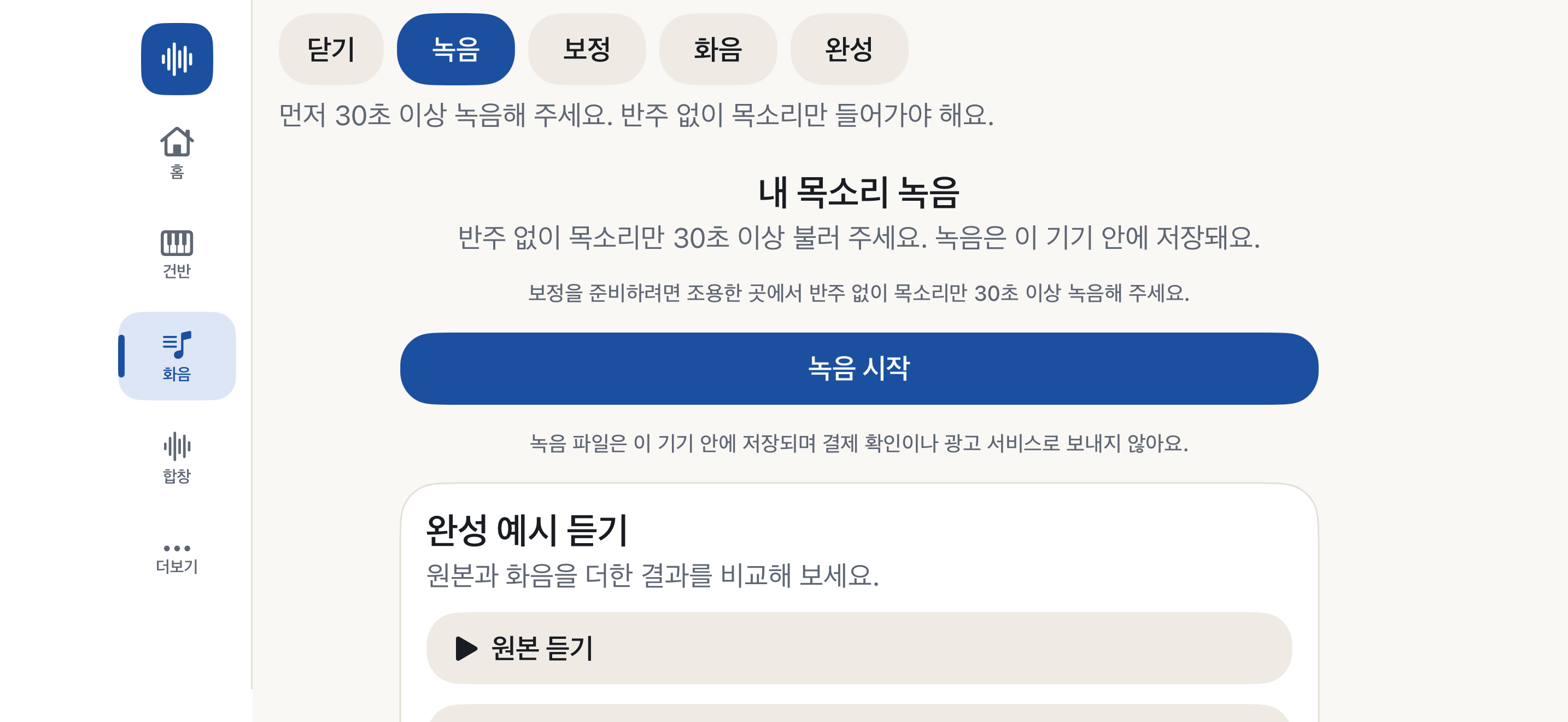
Open harmony creation in the latest app. The screenshots below show iPhone, and the layout may differ on your device.
Make one voice easy to hear.
Choose a quiet place and sing without backing music. Begin with one clear voice rather than a recording that contains music from a speaker or several people singing together.
Try a short phrase before recording a whole song. Play back the original to check that your voice comes through clearly. This gives you a useful starting point for comparing the added harmony.
Compare the harmony with your original.
Start harmony creation from your recording. The app follows the pitch of your singing and adds vocal harmony. When the work finishes, alternate between the original and the result.
Listen for the part that was added. If you want to compare another result, try recording the same short phrase more clearly. The result depends on your original recording and the song you sing.
Check what you keep.
The original and the finished result are kept on your device for you to hear again. Open a saved result to check that it contains the phrase you want, and use your own file-keeping method for recordings you need later.
Ad removal, the male voice and the female voice are separate purchases. Buying one voice does not include the other. Read the product details and price in the app before buying.
Pick the feature that fits your task.
Use Find chords to see the notes in a piano chord. Use Your own choir to sing and record each part yourself. The harmony maker adds vocal harmony to a recording of your singing.
Yes. Harmony creation is available in the latest app on iPhone, iPad and Android. Record your voice without backing music, then compare the original with the harmony result.
How are my voice recordings stored?
Recording and harmony creation happen on your device, where the original and result are kept. If you buy an additional voice, the required voice files are downloaded after the purchase is verified.
How is it different from making a solo choir?
For a solo choir, you record every voice yourself and listen to them together. For harmony creation, the app adds harmony to one recording of your singing without backing music.
The app supports Korean and English. Screenshots here show the Korean interface.
Try it in theHarmony.
Free to download; includes ads. Check the device-specific feature details above before downloading.