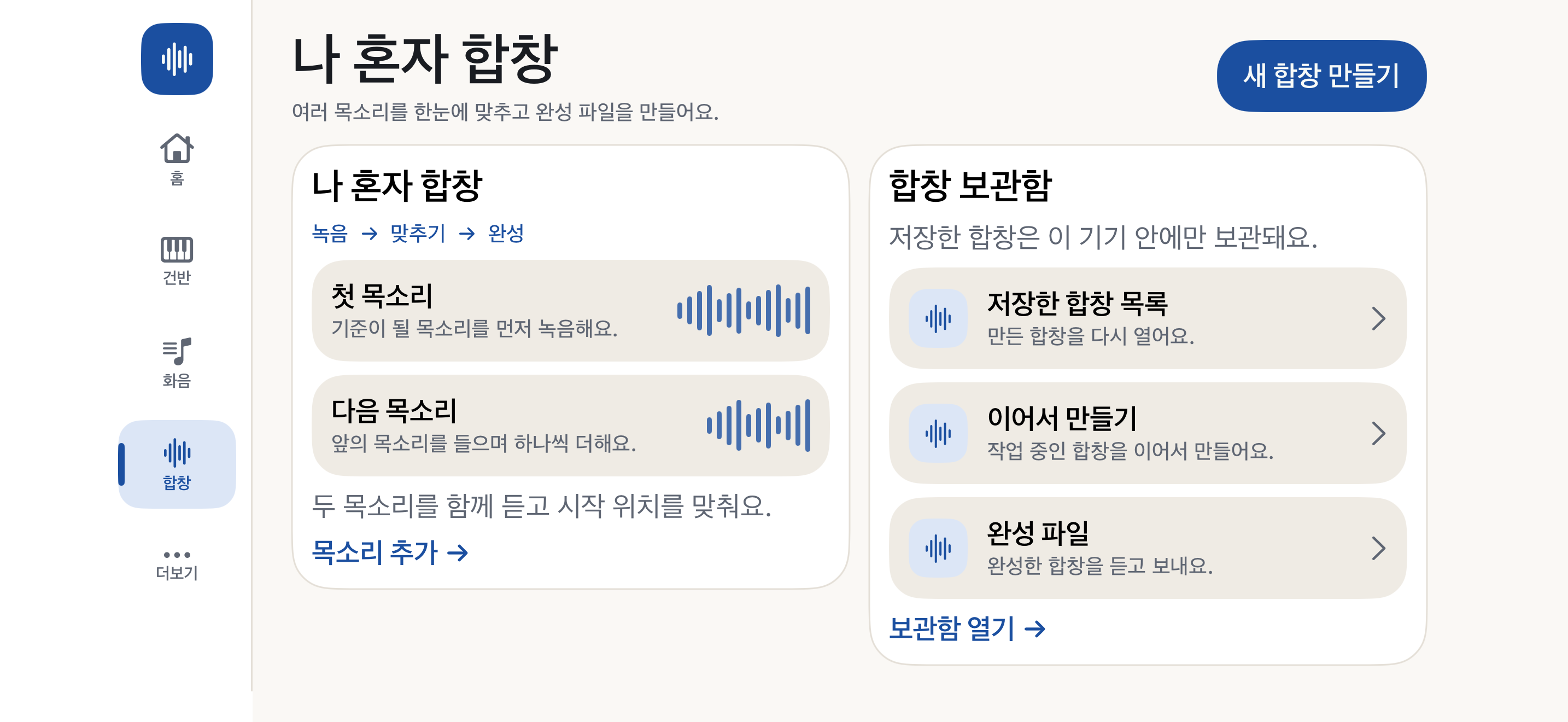
Choir practice on your own. Build it one voice at a time.
Looking for a choir app? Use Your own choir in theHarmony on iPhone, iPad or Android to record a short part, then sing another while listening to the first. Voice layering lets you hear how up to four recordings fit together.
Open Your own choir in the latest app. The screenshots below show iPhone, and the layout may differ on your device.
Start with a short phrase.
Choose a phrase that is easy to sing again. Before recording, decide which part you want to sing and when it should begin. A short phrase makes it easier to listen closely and compare another take.
Connect headphones and choose a quiet place. Playing the first voice through the speaker can let it leak into the next recording. To try a cappella recording, sing without backing music and build the arrangement from your voices.
Record the first voice, then add another.
Sing the first part at a comfortable pitch and play it back. If you miss the entrance or want to sing it again, check that recording before building the next part around it.
Listen to the first recording through headphones as you add another voice. Try the same melody or another part that fits. You can make your own solo choir with up to four voice recordings.
Listen together and adjust the blend.
If one part covers the others, adjust the volume of each voice. If the voices enter at different moments, move their start times. Match two voices first so you can hear what the next recording adds.
Save the finished choir on your device and listen again. Use sharing to send the finished file to an app you choose. If you need it on another device, check that the shared file opens there.
Choose between singing every part and adding harmony.
Your own choir is for recording each part yourself. If you want the app to create vocal harmony from one recording, explore the harmony maker instead. Choose the approach that fits what you want to make.
Current iPhone app screen. App labels may appear in Korean.
Your own choir is available in the latest app on iPhone, iPad and Android. Record up to four voices, then adjust their volume and start times to hear how they blend.
Do people join a live online choir?
Your own choir records voices one at a time on your device. Listen to the first part through headphones as you add the next, then share the finished file using an app you choose.
Is the choir practice app free?
theHarmony is free to download and its basic features include ads. Ad removal and the male and female voices are separate purchases. Check the price shown in the app before buying.
The app supports Korean and English. Screenshots here show the Korean interface.
Try it in theHarmony.
Free to download; includes ads. Check the device-specific feature details above before downloading.